A Comprehensive Guide To Maximizing Email Deliverability With DKIM Selectors
In today's digital world, email remains one of the most prevalent communication channels for businesses. With countless emails exchanged on a daily basis, it's essential to ensure that the emails you're sending are not only delivered successfully but also recognized as legitimate by your recipient's email provider.
DomainKeys Identified Mail (DKIM) is a validation system designed to verify the authenticity of emails and prevent phishing and other email-based attacks. One essential aspect of DKIM is the use of selectors, which act as authentication keys for your email messages. Understanding DKIM selectors is, therefore, critical for email senders seeking to improve their email deliverability, protect their brand reputation, and reach their target audiences.
In this comprehensive guide, we'll delve into everything you need to know about DKIM selectors, including how they work, how to generate and publish them, and the different types of selectors you can use. By the end of this guide, you'll have a solid understanding of how to use DKIM selectors.
What is DKIM selector?
DKIM (DomainKeys Identified Mail) is a method for verifying the authenticity of email messages. It uses a digital signature that is attached to the message header to confirm that the message was sent from an authorized domain and has not been tampered with during transmission.
A DKIM selector is a component of a DKIM signature that identifies the public key used to verify the signature. When an email server receives a message with a DKIM signature, it looks up the public key associated with the selector in the domain's DNS (Domain Name System) records. This public key is then used to verify the message's signature.
A domain may have multiple DKIM selectors, each with its own associated public key. This allows the domain owner to rotate keys periodically, without requiring all recipients to update their DNS records every time.
How Do They Work?
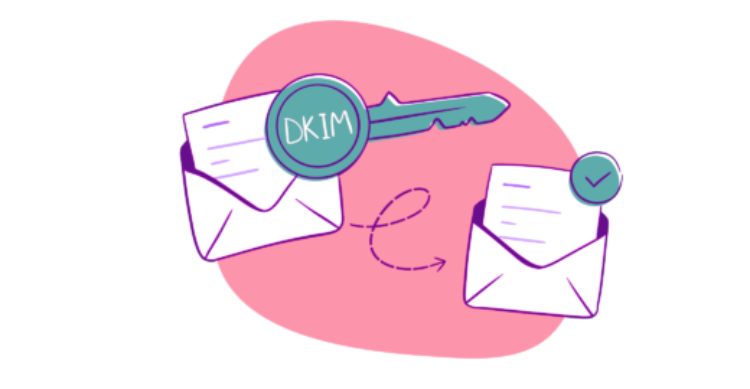
DKIM selectors work by associating a specific public key with a domain's DKIM signature. When an email is sent from a domain that has DKIM enabled, the sending email server generates a digital signature based on the message content and a private key associated with the selector.
The email server then adds the DKIM signature to the email header, including the selector name and a hash of the message content. When the recipient email server receives the email, it looks up the public key associated with the selector in the domain's DNS records. It then uses the public key to verify the DKIM signature and confirm that the message has not been tampered with in transit.
The use of DKIM selectors allows a domain to rotate keys periodically, which helps to improve security and reduce the risk of key compromise. When a domain rotates keys, it generates a new private key and associates it with a new selector name. The domain then updates its DNS records to include the new public key associated with the new selector.
This process ensures that emails signed with the old key can still be verified by recipients who have not yet updated their DNS records, while also allowing new emails to be signed with the new key.
How To Find DKIM Selector
When sending emails, it is important to ensure that they are authenticated to prevent them from being marked as spam or phishing emails. DKIM (DomainKeys Identified Mail) is one method used to authenticate emails, and it requires a selector to be added to the email header.
To find your DKIM selector, you need to check your DNS (Domain Name System) records. Look for a TXT record named "dkim._domainkey" or "selector._domainkey". The selector value will be listed within that record. It is important to keep in mind that each domain can have multiple DKIM selectors, so be sure to check all the relevant DNS records. Finding your DKIM selector is a necessary step to configure your email authentication properly.
In conclusion, DKIM selectors are an essential part of email authentication that help ensure email deliverability and protect against spoofing and phishing attacks. Understanding how to use and manage selectors is crucial for email senders to maintain their reputation and credibility with receivers. By following the guidelines and best practices outlined in this comprehensive guide, email senders can confidently configure DKIM for their domains and strengthen their email security posture.